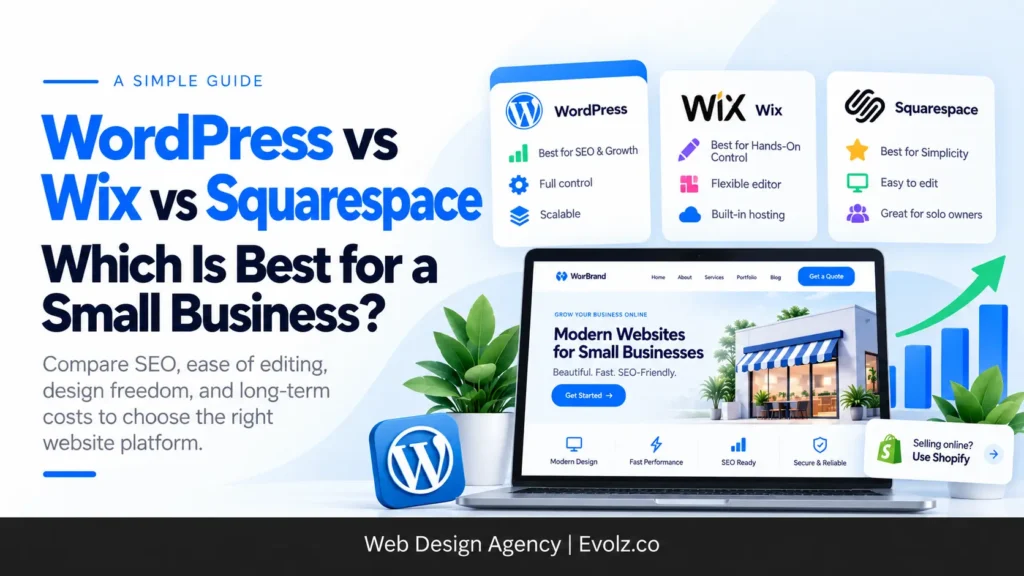
Short answer: WordPress is the best choice for established small businesses that want to grow through SEO and are happy to have someone else maintain the site. Squarespace is best for non-technical solo owners who want to update their own site. Wix sits in between, for owners who are a bit more technical and want hands-on control. And if you’re selling products online, we’d skip all three and go with Shopify.
We’ve built more than 100 websites at Evolz Digital. About 90% of them are on WordPress, and the rest are split between Wix and Squarespace. So yes, we lean WordPress, but we also build on Wix and Squarespace when they’re the better fit, and we’ve seen exactly where each one breaks.
Most comparisons of these platforms list features side by side. That’s useful, but it misses the question that actually decides the right platform: who is going to manage this website after it launches? We’ll answer that, then walk through SEO, design, costs and switching, with real examples from client projects.
WordPress vs Wix vs Squarespace at a glance
| WordPress | Wix | Squarespace | |
|---|---|---|---|
| Best for | Growing businesses that want SEO and someone else to handle maintenance | Fairly technical owners who want hands-on control | Non-technical solo owners who want to edit their own site |
| Ease of editing for owners | Hardest | Moderate | Easiest |
| SEO control | Full control | Limited, plus hosting issues we can’t fix | Basic |
| Design freedom | Complete | Limited for non-developers | Good on desktop, weak on mobile |
| Hosting | You choose | Wix hosts it | Squarespace hosts it |
| Ownership of files | You own everything | Locked to Wix | Locked to Squarespace |
| Ongoing cost | Low to moderate, depends on maintenance | Competitive at first, higher at renewal | Lowest of the three in our experience |
For context, WordPress powers about 39.6% of all websites, compared with 4.2% for Wix and 2.4% for Squarespace, according to W3Techs data from October 2026.
The question that actually decides it: who’s going to manage your site?
Every client we work with gets an offboarding call after launch, where we walk through how to manage the site day to day. Over the years, those calls have taught us more about choosing a platform than any feature list.
Squarespace: for non-technical owners who love making changes
Squarespace is the easiest of the three to manage. You drag elements onto the page, move them around and publish. No rows, columns or settings panels to figure out.
One of our clients, Abigail Mind Body Soul, is a solo life coach who runs her own Squarespace site. She updates it constantly and is always tweaking the design of her pages. For someone like her, Squarespace is perfect. She doesn’t need a developer for every small change, and she enjoys doing it herself.
Wix: for owners who are a bit more technical
Wix gives you more control than Squarespace, but it asks a bit more of you. You’ll be working with sections, rows, columns and individual elements, which is fine if you’re comfortable with that kind of interface.
Buckeye Interior Design is a good example. The owner manages his Wix site and handles his own maintenance without needing us.
WordPress: for owners who’d rather someone else handle it
WordPress is the hardest of the three for most owners to manage themselves. We’ve had clients try to make what they thought was a quick edit and end up breaking the layout, then calling a developer to fix it.
That’s why we recommend WordPress to businesses that are doing well, don’t want to manage the site themselves, and can afford ongoing maintenance. In return, they get the most powerful platform of the three, especially for SEO. We build most of these sites through our WordPress web design service, and we also build on Wix and Squarespace when they’re the better fit.
SEO: where WordPress pulls ahead
If getting found on Google matters to your business, this is the section to pay attention to.
WordPress gives you control over everything
On WordPress, one plugin like All in One SEO lets us manage almost all of a site’s SEO in one place:
- Schema markup, including local business schema
- The llms.txt file that helps AI tools understand your site
- robots.txt and .htaccess files
- Meta titles and descriptions on every page
- Blog posts, internal linking and content editing
We can also set up custom post types for service area or location pages, which is a big deal for local businesses trying to rank in multiple towns. And we have direct access to the site’s files through a file manager, so if something needs fixing, we can fix it. We’re also not stuck paying for a different add-on every time we need a new feature.
This is the core of our SEO web design approach, and it’s why WordPress works so well alongside a local SEO strategy.

Wix: decent tools, but problems you can’t control
Wix has built-in SEO settings, and you can rank a Wix site. We did it. The issue is that Wix hosts the site, so when there are server-related problems, there’s nothing you or your developer can do about them. In our experience, Wix support hasn’t been able to resolve those issues either. All the SEO work in the world doesn’t help if your product pages start failing on the server side.

Squarespace: the basics, and not much more
Squarespace lets you add meta titles, descriptions and the other basics. But for technical SEO, you don’t get much control. That’s fine for a coach or creative who gets most clients from referrals and social media. It’s a real limitation for a business that depends on search traffic.
In our experience, Wix and Squarespace sites just don’t rank as well as a properly optimized WordPress site or a Shopify store.

A real example: what Wix cost one of our ecommerce clients
La Luz Lifestyle is a Dutch jewellery brand we’ve worked with for a while. We redesigned their Wix store from scratch, and it worked. Sales went up and the site started ranking for hundreds of keywords.
We managed the store on Wix for about three months after that. Then, after all the time we’d put into ranking their product pages, the site started having server-related problems. The checkout was a mess too.
Early on, we recommended moving them to Shopify. The client decided to stay on Wix. Here’s what happened when we started running Meta ads:
| Stage | On Wix |
|---|---|
| Ad spend | About €200 |
| Link clicks | About 400 |
| People who actually reached the page | About 150 |
| Add to carts | 10 to 12 |
| Checkouts started | About 7 |
| Purchases | 1 |
More than half the people who clicked the ad never even saw the page. Of those who did, only one made it through checkout.
About a month ago, we finally moved La Luz to Shopify. That meant migrating every product, order, customer and piece of content, then redoing the SEO from the ground up. The early numbers speak for themselves:
- About €150 spent on ads in the first week
- Around €400 in sales
- A conversion rate of roughly 2%
That’s close to a 2.7x return on ad spend in week one, compared with one sale from €200 on Wix.
Selling online? Skip all three and use Shopify
This is why, for ecommerce, we recommend Shopify over Wix, Squarespace and even WordPress with WooCommerce. The built-in ecommerce tools, checkout and SEO capabilities are hard to match. We set these stores up through our ecommerce web design service, and we wrote about another migration, Hennessy Lampworks moving from Squarespace to Shopify, if you want a second example.
The WordPress vs Wix vs Squarespace decision really applies to service businesses, coaches, consultants and other non-ecommerce sites.
Design freedom: how far can you push each platform?
WordPress gives you complete design freedom. With page builders like Kadence or Elementor, we can adjust layouts at different screen sizes, add custom CSS anywhere, and fine-tune breakpoints so the site never looks broken, even on unusual screen sizes. If you need help picking a starting point, here’s how to choose the best WordPress theme.
Squarespace looks great on desktop, but mobile is its weak spot. Layouts can break badly on phones. The bigger problem is that you can’t keep a separate layout for desktop and mobile. If a section looks great on a laptop but awkward on a phone, you can’t simply hide it on mobile and show a different version. For a lot of businesses, most visitors are on their phones, so that matters.
Wix is limited unless a developer is involved. A developer can use code and custom CSS to get around a lot of the limits. A non-technical owner, though, won’t find anywhere near as many design elements as they would in a WordPress builder like Kadence or Elementor.
When a design outgrew its platform
Buckeye Window Treatments originally had their site on Wix. When they wanted more functionality and a new custom design created in Figma, building it on Wix just didn’t make sense. We moved them to WordPress, where the design and features could be built properly.
Whatever platform you land on, make sure the result works on phones. Our guide on creating a mobile-friendly WordPress website covers what to look for.
What each platform really costs
First, the build itself. In our experience, development costs about the same on all three platforms. What changes is what you pay every year after launch.
| WordPress | Wix | Squarespace | |
|---|---|---|---|
| Platform or hosting | Shared hosting (e.g. Hostinger) | Plans from around $17/month, billed yearly | Plans from $19/month, billed yearly |
| Typical plan for a small business | Same hosting | Core or Business, around $29 to $39/month | Core at $29/month |
| Free domain | No, bought separately | First year only | First year only |
| Self-managed yearly cost | About $200 to $300 | Rises after the first year | Lowest of the three in our experience |
| Professionally managed | $600/year with our maintenance package | Usually not needed | Usually not needed |
Plan prices are taken from Wix’s pricing page and Squarespace’s pricing page in October 2026. Wix notes that prices vary by location.
A few things worth knowing:
- WordPress isn’t automatically the cheap option. The software is free, and shared hosting can keep you around $200 to $300 a year. But a WordPress site needs updates and security work to stay healthy. Once you add proper maintenance ($50/month with us), the cost lands close to the other two.
- Watch Wix renewals. The first year often looks competitive, partly thanks to the free domain voucher. In our experience, it gets noticeably more expensive once regular renewal pricing kicks in.
- Squarespace’s cheapest plan has catches. The Basic plan charges a 2% fee on online store transactions and doesn’t include code injection, which you’d need to add things like a Meta Pixel. If you plan to run ads or sell anything, budget for Core.
For the full breakdown of build costs and extras, see our guide to how much a small business website costs in 2026.
Changing your mind later: what moves and what doesn’t
This is the part people don’t think about when they pick a platform. If you ever switch, here’s what happens:
| Moves over | Has to be rebuilt |
|---|---|
| Photos and images | The entire design |
| Written content | Layouts and page structure |
| Customers and orders (for stores) | Platform-specific features |
| URLs, or redirects from old to new |
The design never transfers. Even if a client wants an exact copy of their old site on the new platform, it still gets rebuilt from scratch. For URLs, we either keep the same ones if the old SEO was set up correctly, or add redirects so you don’t lose the rankings you’ve built.
So pick a platform with where your business is heading in mind, not just where it is today. Our guide on how to choose the best CMS platform goes deeper on this.
Do the new AI features change anything?
All three platforms are pushing AI hard in 2026. Wix and Squarespace both have AI site builders, and there are plenty of AI tools and builders available for WordPress.
Our honest take: they don’t change the decision.
If you use AI to help design a WordPress site, you still end up with full control over your files and your SEO, which keeps WordPress ahead. And if you want AI to do everything for you, dedicated tools like Lovable or Claude Design do a much better job than the AI features bolted onto these website builders.
Whichever route you take, watch out for the generic look. AI-built sites are everywhere now, and a site that looks like every other site won’t stand out to customers or to AI search.
Our verdict
After more than 100 builds, here’s how we’d decide:
- Choose WordPress if your business is doing well, you don’t have time to maintain the website yourself, and you want to grow your visibility through SEO. It’s the most powerful and scalable of the three, as long as someone is looking after it.
- Choose Squarespace if you’re a solopreneur, like a coach or consultant, who isn’t very technical but wants to update your own site regularly. It’s the easiest to use and usually the cheapest to run.
- Choose Wix if you’re a solopreneur who’s a bit more technical and wants more hands-on control over the design. Just keep an eye on renewal pricing and know that hosting issues are out of your hands.
- Choose Shopify if you’re selling products online. Don’t overthink this one.
If you’re a solo owner deciding between Wix and Squarespace, it really comes down to budget and how much design control you want. Wix gives you more control; Squarespace is simpler and cheaper.
Not sure which bucket you fall into? That’s exactly the kind of decision our small business web design team helps owners make.
FAQ
Is WordPress better than Wix for SEO?
In our experience, yes. WordPress gives you full control over schema, robots.txt, llms.txt, meta data and site structure, and you control the hosting. On Wix, server issues are out of your hands, which can undo good SEO work.
Which is easier to use, Wix or Squarespace?
Squarespace. Its drag-and-drop editor is the simplest of the three. Wix offers more control but expects you to be a bit more comfortable with rows, columns and settings.
Is WordPress cheaper than Wix and Squarespace?
Not really, once you factor in maintenance. Self-managed WordPress on shared hosting runs about $200 to $300 a year, but a properly maintained site (around $600 a year with us) lands close to what you’d pay for Wix or Squarespace.
Can I switch from Wix or Squarespace to WordPress later?
Yes, but the design has to be rebuilt from scratch. Content, images and URLs (or redirects) can come across.
What’s the best platform for an online store?
Shopify. We recommend it over Wix, Squarespace and WooCommerce for almost every ecommerce business.
Should a solo coach or consultant use WordPress?
Usually not, unless SEO is a big part of how you get clients and you’re happy paying for maintenance. Squarespace or Wix is often the better fit if you want to manage the site yourself.
Still not sure? Book a free platform recommendation call
Picking the wrong platform rarely shows up on day one. It shows up a year later, when you’re paying to rebuild a site that couldn’t keep up, or watching ad spend disappear because visitors can’t reach your checkout.
We’d rather help you get it right the first time. Tell us about your business, who’ll be managing the site, and what you need it to do. We’ll recommend the platform that actually fits, even if that’s not WordPress.
Fill out our quick form to book your free website recommendation call.