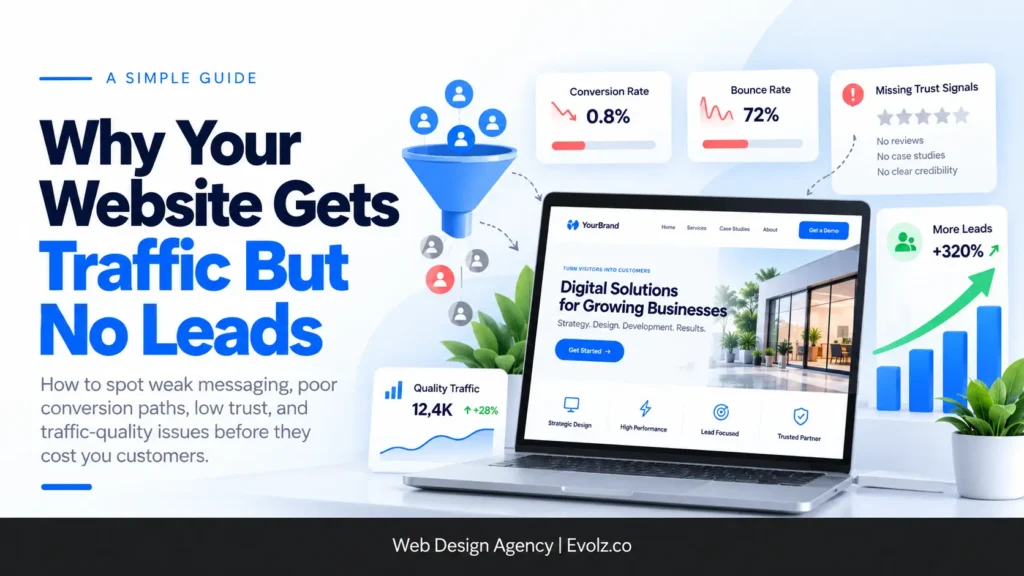
Short answer: if your website gets traffic but no leads, it’s usually one of two things. Either the traffic isn’t the right kind (people researching, not buying), or the website isn’t clearly telling visitors what you do, where you do it, how it works and why they should trust you. Sometimes it’s both.
We hear “we’re getting traffic but no inquiries” all the time at Evolz Digital. After 100+ website projects and a lot of audits, the causes are surprisingly consistent. Most of the time, the site actually looks great. That’s part of the problem. It was designed to impress, not to convert.
Below, we’ll show you how to tell whether you have a traffic problem or a website problem, the eight most common reasons sites don’t convert, the exact page structure we use for service businesses and online stores, and a few quick wins you can try this week.
First, check: is it a traffic problem or a website problem?
Before you redesign anything, make sure the traffic you’re getting could realistically turn into leads in the first place. We check three things.
1. Are you getting enough traffic to judge?
We’ve had owners tell us they get 100 clicks a month and expect 20, 30 or 40 inquiries from it. That’s a 20% to 40% conversion rate, and it’s not realistic in any industry. For most businesses, a conversion rate of 2% to 5% is healthy. At 100 visitors a month, that’s two to five leads.
So if your traffic is low, the honest answer might be that you need more of it, not a new website.
2. What are people searching for when they find you?
Open Google Search Console and look at the queries bringing people to your site. If most of them are “how to” searches, those visitors want information. They’re reading, not buying. Ranking for “how to fix a leaky faucet” is not the same as ranking for “emergency plumber in Columbus.”
The fix is to target commercial and transactional keywords, the ones people use when they’re ready to hire or buy, and point them at the right pages. That’s what SEO web design is built around, and it’s why local SEO matters so much for service businesses.
3. Where is your paid traffic coming from?
If you’re running broad, cold traffic campaigns on Meta or other ad platforms, a lot of those visitors simply aren’t ready to make a decision. When the goal is leads or sales, we usually switch clients to lead generation campaigns and send that traffic to pages built to convert.
| What you see | Likely cause | What to do |
|---|---|---|
| Very low traffic overall | Not enough volume to judge | Grow traffic before redesigning |
| Lots of traffic from “how to” keywords | Wrong search intent | Target commercial and transactional keywords |
| Lots of paid clicks, few leads | Cold or broad ad targeting | Run lead campaigns to dedicated pages |
| Relevant traffic, still no leads | The website itself | Keep reading |
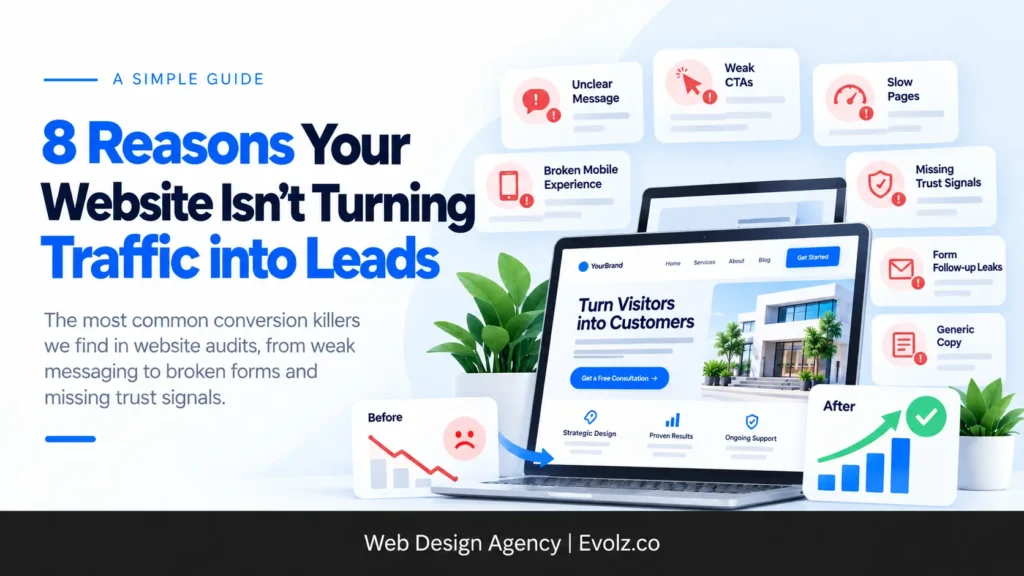
8 reasons your website isn’t turning traffic into leads
If the traffic checks out, the website is the problem. These are the reasons we find most often, starting with the most common.
1. It doesn’t clearly say what you do, where and how
This is the big one. A visitor should know within seconds what service you offer, which areas you serve, and what working with you actually looks like. Most sites we audit don’t make any of that clear. The headline says something like “Excellence in every project,” which could describe any business anywhere.
If a visitor has to scroll and click around to figure out whether you can help them, most of them won’t bother.
2. The design is built to look good, not to convert
This surprises a lot of owners. Some of the worst-converting sites we see are also the best-looking ones. They usually share a few traits:
- Lots of animation. Scroll effects, moving text and elements sliding in from every direction.
- Vague headlines. Stylish, oversized fonts limit how many words fit, so the copy gets cut down until it says almost nothing.
- Hidden or weak calls to action. The button that matters gets lost in the design.
- Heavy pages. Not everyone has a fast connection. On slower internet, these sites load slowly and feel hard to navigate, so people leave early.
A site like this can attract plenty of visitors and still convert poorly, especially with cold traffic. Clarity beats cleverness every time. If you’re rethinking your site’s look, our guide on choosing the right website design for your business is a good starting point, along with tips to improve website speed and performance.
3. Technical problems stop people from taking the next step
Sometimes visitors want to contact you and simply can’t. Buttons that don’t work on mobile, forms that fail to submit, menus that won’t open, pages that time out. We find these in audits regularly, and owners rarely know they exist because they don’t use their own site the way customers do.
Test your site on your phone the way a customer would. Tap every button, open the menu, and submit your own form. Our guide on making a mobile-friendly WordPress website covers what to look for.
4. There’s no proof you’re worth trusting
People don’t contact businesses they’re unsure about. If your reviews aren’t visible, your photos are stock images, and your About page could belong to anyone, visitors have no reason to believe you’re the real deal.
Show your review count, put real reviews near your calls to action, use real photos of your team and work, and write an About page that tells your actual story. A strong Google Business Profile feeds directly into this too.
5. Your ads send people to the wrong page
We see this constantly. A business runs ads and sends every click to the homepage or a general services page. The visitor lands, has to hunt for the thing they clicked on, and leaves.
Our rule is simple. If a campaign is just meant to drive traffic, it doesn’t matter much where it goes. But if you want leads or sales, send people to a dedicated service page, lead form or funnel that explains that one service, its benefits and your reviews. We cover the difference in more detail in landing page vs. home page.
6. Leads leak after the form
Sometimes the website did its job and the lead still got lost. Every form we build follows the same rules:
- Keep it short, with just enough qualification questions to filter out bad fits.
- Connect it to an inbox or CRM so the person gets an instant follow-up message and your team gets notified right away.
- Send people to a thank-you page after they submit, and track that page view as a conversion. Without that, you can’t tell which pages and campaigns actually produce leads.
If your form sends submissions to an inbox nobody checks, or you’re not tracking submissions at all, you might be getting more leads than you think and losing them anyway.
7. For online stores: a weak offer and not enough trust
Ecommerce has its own version of this problem. When a store gets traffic but no sales, it usually comes down to two things: the offer isn’t compelling, and shoppers don’t trust the site enough to hand over their card details. Missing reviews, no money-back guarantee and a confusing checkout are the usual suspects. We’ll show you how we lay out a product page below.
8. Your copy talks to everyone
Generic copy, stock photos and a bland About page all send the same message: there’s nothing special here. The businesses that convert best speak directly to one type of customer, in that customer’s language, about that customer’s problems. Using real customer data is one of the best ways to get there.
What a service page that converts looks like
This is the structure we use for the homepage and service pages of local service businesses. It’s not fancy. It works because every section answers a question the visitor already has.
The hero section (the most important part)
The top of the page has to do most of the work. Ours always includes:
- What you do, where you do it, and how. The service, the areas you cover, and a quick sense of your process.
- A short story. Something like “Family-owned and serving Columbus and New Albany for more than 15 years.” It makes you real.
- Your total review count across platforms, so visitors see social proof immediately.
- A video, either playing in the background or in a column beside the headline, showing your process or an overview of the business.
- Two calls to action: a click-to-call button and a button that takes people to your form.
Further down the page
- Services. Exactly what you offer, laid out clearly.
- Google reviews. Real reviews from real customers.
- FAQs that answer real objections. Here’s a trick we use: read the negative reviews, both yours and your competitors’, to find what frustrates customers. Then answer those concerns directly in your FAQs.
- Service areas. List the towns and zip codes you serve so people know immediately if you cover their area.
- A closing call to action, combining click-to-call and a form.
- Footer.
That’s it. No mystery, no clever wordplay, just a clear path from “is this the right business?” to “let’s get in touch.” It’s the same approach behind our small business web design work. Good website navigation helps keep visitors on that path.
What a product page that converts looks like
For online stores, the product page does the selling. Here’s the layout we use.
In the hero section
- A clear offer, plus a one-time discount code for first purchases
- Reviews right near the top
- The product title
- A short description in bullet points, so shoppers can scan it quickly
- The key benefits of the product
- A review slider to keep social proof visible
Below the hero
- The full product description, with everything a shopper needs to know laid out up front
- Customer photo reviews, collected by the business owner from real buyers. The best ones are selfies with the product in them.
- Benefits, expanded in more detail
- FAQs that handle common hesitations
- A trusted third-party review platform like Judge.me or Trustpilot, where customers can leave reviews
Every piece answers the same silent question shoppers have: “Can I trust this store with my money?” We build stores this way through our ecommerce web design service.
What happens when you fix it: real client results
| Client | The problem | Conversion rate before | After |
|---|---|---|---|
| Puulse Marketing (service business) | Strong brand and lots of traffic, outdated website | About 0.8% | About 3.6% |
| Pure Accounting Solutions (UK accounting firm) | Brochure-style site with no service or location pages | About 1% | About 5% |
| Pediatrics Board Review (online courses) | 95% bounce rate, manual checkout | About 2% | About 5% |
| Clean Fit (Dutch ecommerce brand) | New store and funnels, built conversion-first | New build | Around 5% |
Puulse Marketing is the clearest example of “traffic but no leads.” They had a strong brand, ran a lot of ads and created great organic content, so visitors were coming in steadily. The website was the bottleneck. After we redesigned it, conversions went from around 0.8% to about 3.6%, and that’s on cold traffic and visitors coming from their organic content, which typically converts worst.
Clean Fit shows the flip side. We built their store and funnels from scratch with conversion in mind from day one, and those funnels convert at around 5%.
You can see more projects on our case studies page.
Quick wins you can try this week
You don’t need an agency to start fixing this. Our golden rule is simple: say what you do, where you do it, how you do it, and prove it with reviews.
If you’re optimizing your site yourself, start here:
- Spell out your services clearly at the top of your homepage and service pages.
- Say where you work. Name the cities, towns or zip codes you serve.
- Explain your process. A few simple steps showing what happens after someone contacts you.
- Show your reviews, especially near your calls to action.
- Replace stock photos with real images of your team, your work and your customers.
- Rewrite your About page so it tells your actual story instead of generic filler.
In our experience, getting those first four right can double a site’s conversion rate on their own.
What to leave to a professional
Some fixes are worth handing off: form tracking and thank-you page setup, CRM and follow-up automation, ad campaign structure, technical SEO, and anything involving a full redesign. These are easy to get subtly wrong, and a mistake can quietly cost you leads for months before anyone notices. That’s where our conversion rate optimization service comes in.
FAQ
Why does my website get traffic but no leads? Usually because the traffic isn’t ready to buy (informational searches or cold ad traffic), or because the website doesn’t clearly explain what you do, where you do it and how, and gives visitors no reason to trust you.
What’s a good conversion rate for a small business website? For most industries, 2% to 5% is healthy. Some well-optimized sites reach around 10%.
How much traffic do I need before judging my conversion rate? Enough that 2% to 5% would produce a meaningful number of leads. At 100 visitors a month, two to five leads is normal, not a failure.
Should I send ad traffic to my homepage? Not if you want leads or sales. Send it to a dedicated service page, landing page or funnel focused on the one thing the ad promised.
Can a website look too good? Yes, if style gets in the way of clarity. Heavy animations, vague headlines and hidden calls to action can make a beautiful site convert poorly.
How do I know if my forms are actually working? Submit your own form, check that the submission arrives where it should, and make sure people land on a thank-you page you’re tracking as a conversion.
Get a free conversion audit
If your site is getting visitors and your phone still isn’t ringing, let us take a look. We’ll review your traffic sources, the keywords bringing people in, your hero sections and calls to action, your forms and tracking, and the trust signals on your key pages.
Then we’ll tell you exactly where you’re losing leads and what to fix first, whether that’s a handful of quick changes or something bigger.
Request your free conversion audit and find out why your traffic isn’t turning into leads.